

Caretaker
Caretaker's icon

Caretaker

Takes care of your Mac. Clean out junk, find what fills your disk, remove apps properly, and see what's slowing it down, in one window that feels like part of macOS.

macOS 13 Ventura or later · Intel and Apple silicon · Nothing is deleted without asking

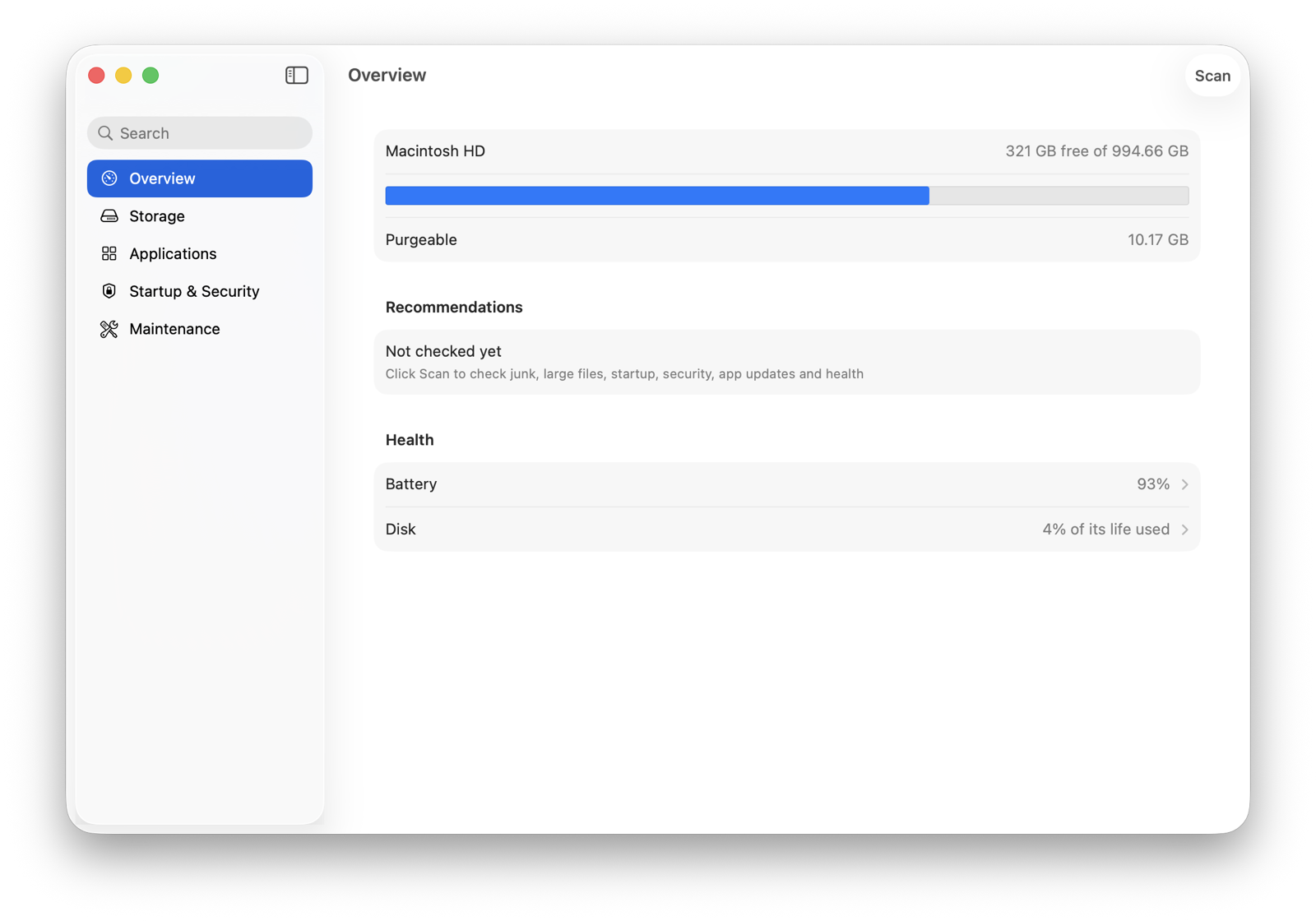
Caretaker's Overview: free space, recommendations and health

Everything your Mac needs, nothing it doesn't.

Five places, laid out like System Settings. Each finds something, shows you exactly what, and lets you choose.

Storage

System junk, downloaded copies of cloud files, large and old files, duplicates, near-identical photos, developer caches, and a map of where the space goes.

Applications

Remove apps with everything they left behind, find what removed apps left in your Library, and see which apps have updates.

Startup & Security

Everything that starts with your Mac, with a switch for each; protections that are off; adware, browser extensions and profiles.

Maintenance

Empty the Trash, flush DNS, reindex Spotlight, thin local snapshots, and Auto Clean on a schedule.

Health

Battery health and cycles, your disk's own self-check and wear, at a glance on the Overview.

Widget and menu bar

Free space and junk on your desktop or in the menu bar, if you want them there. Off unless you turn them on.

Pro

Why is my Mac slow?

Performance answers in plain words, not graphs: an app keeping the processor busy, memory running short, a disk nearly full, a Mac that's too hot, or macOS's own work, like Spotlight indexing, that ends by itself. Each cause comes with what to do about it.
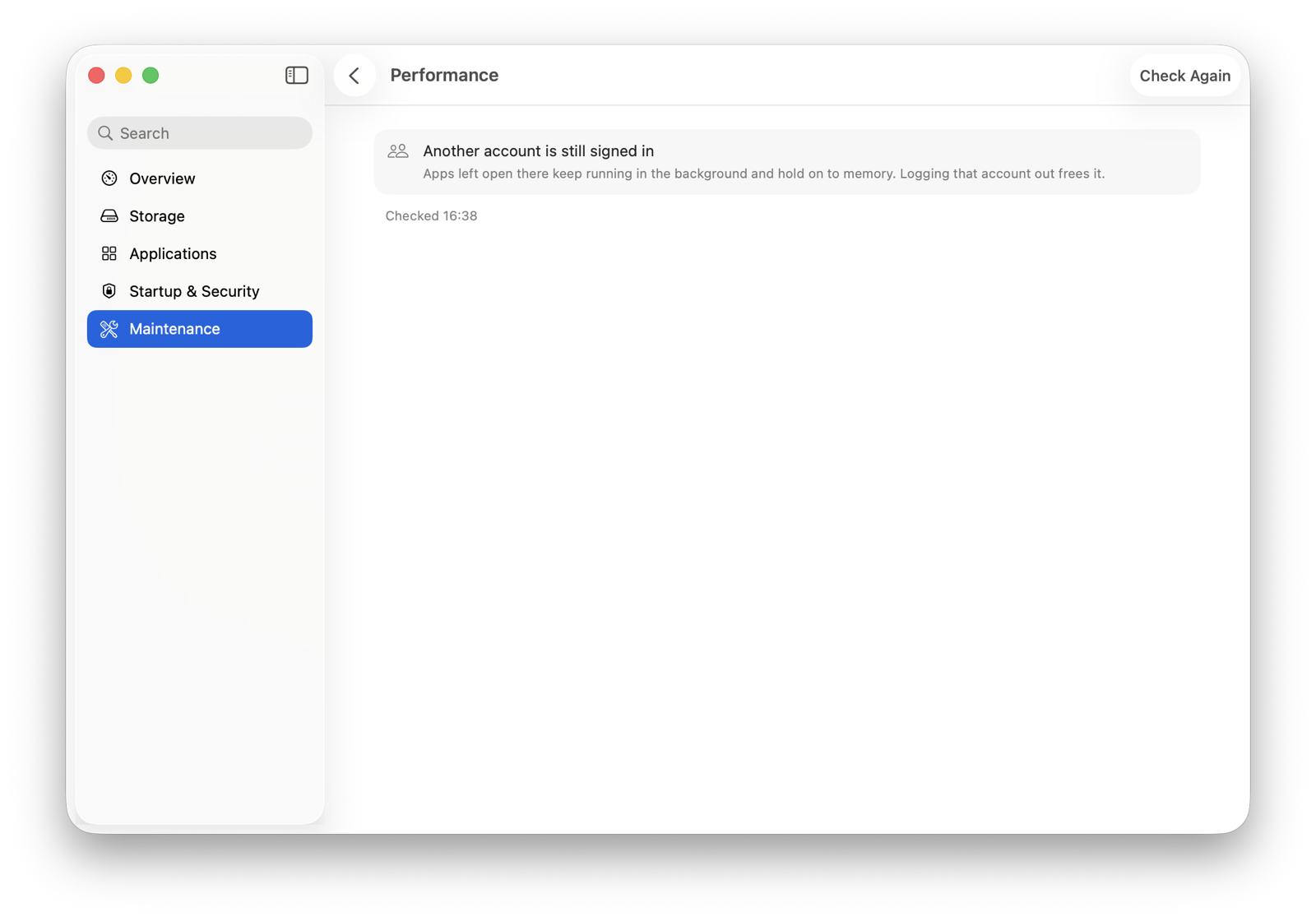
Performance: what's slowing the Mac down, in plain words
Pro

Where did my battery go overnight?

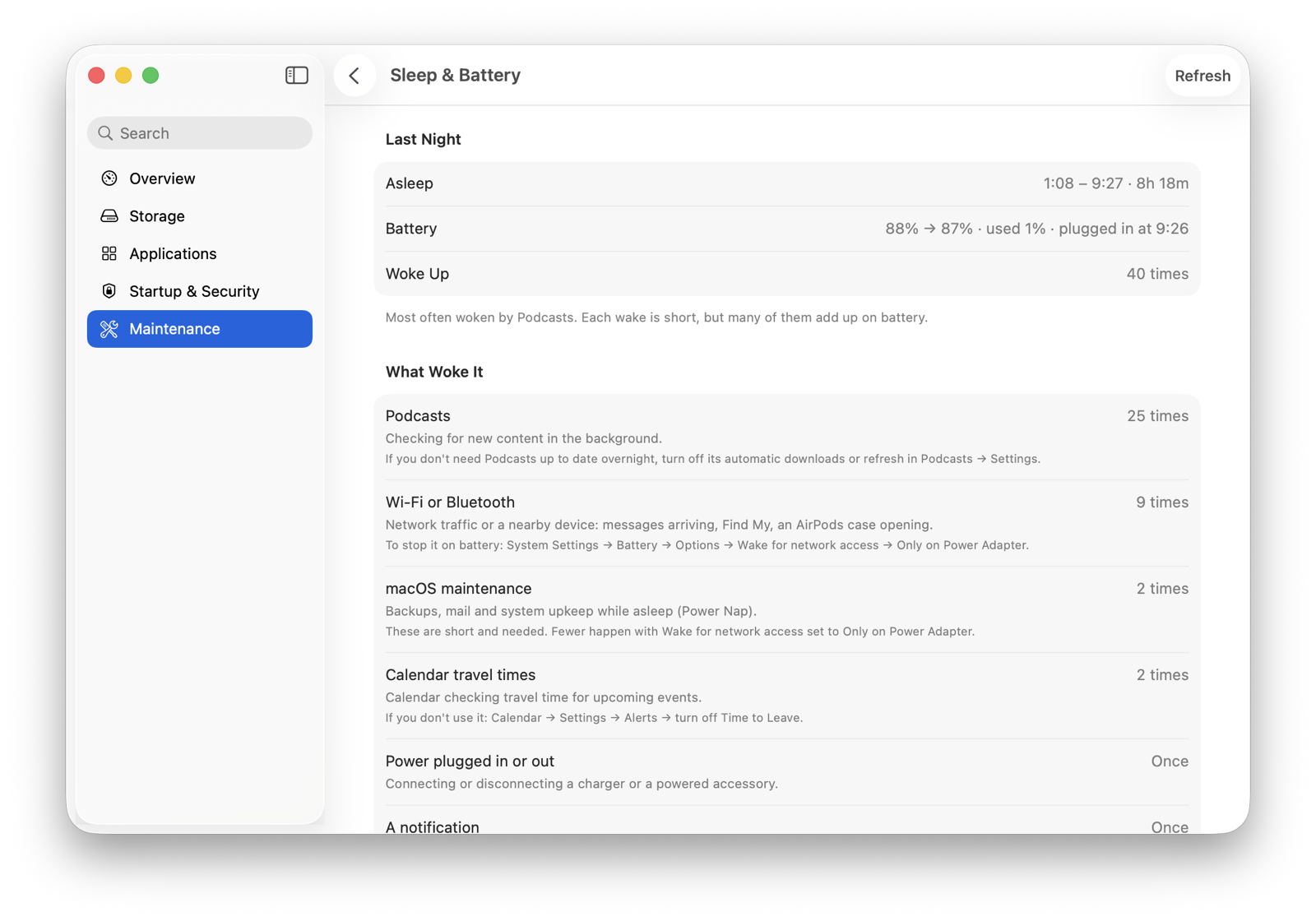
Sleep & Battery reads the power log macOS already keeps: how long your Mac slept, the charge it used, what woke it in the dark and how often, and which apps kept it awake. Then it tells you where to switch each one off.

Sleep & Battery: what woke the Mac overnight

Careful by design.

Everything Caretaker cleans goes to the Trash first, and Cleaning History puts it back where it was. It never touches the system, your synced cloud files, or anything it can't name. You see every file before anything moves.

How Caretaker keeps your files safe ›

Free, or Pro once.

No subscription and no account. Pro is a one-time purchase for one Mac, with every 1.x update.

Caretaker

Free
  • System Junk, Cloud Downloads, Large & Old Files
  • Duplicates, Similar Photos, Disk Map, Developer
  • Uninstaller, App Updates, Startup, Security
  • Health, Maintenance, Cleaning History
  • Widget and menu bar
Download free

Caretaker Pro

$14.99 once
  • Performance: why your Mac is slow
  • Sleep & Battery: what drained it overnight
  • Organize: Downloads and Desktop sorted into folders
  • Auto Clean, What Grew, Leftovers, Old Installers
  • Update All, one-step adware removal, health alerts
Buy Pro

Try Pro free for 14 days from inside the app. Prices in your currency at checkout.