 Caretaker
Features
Everything it does.
Five places, the same as in the app. Pro marks what comes with Pro.
Home
Everything at a glance.
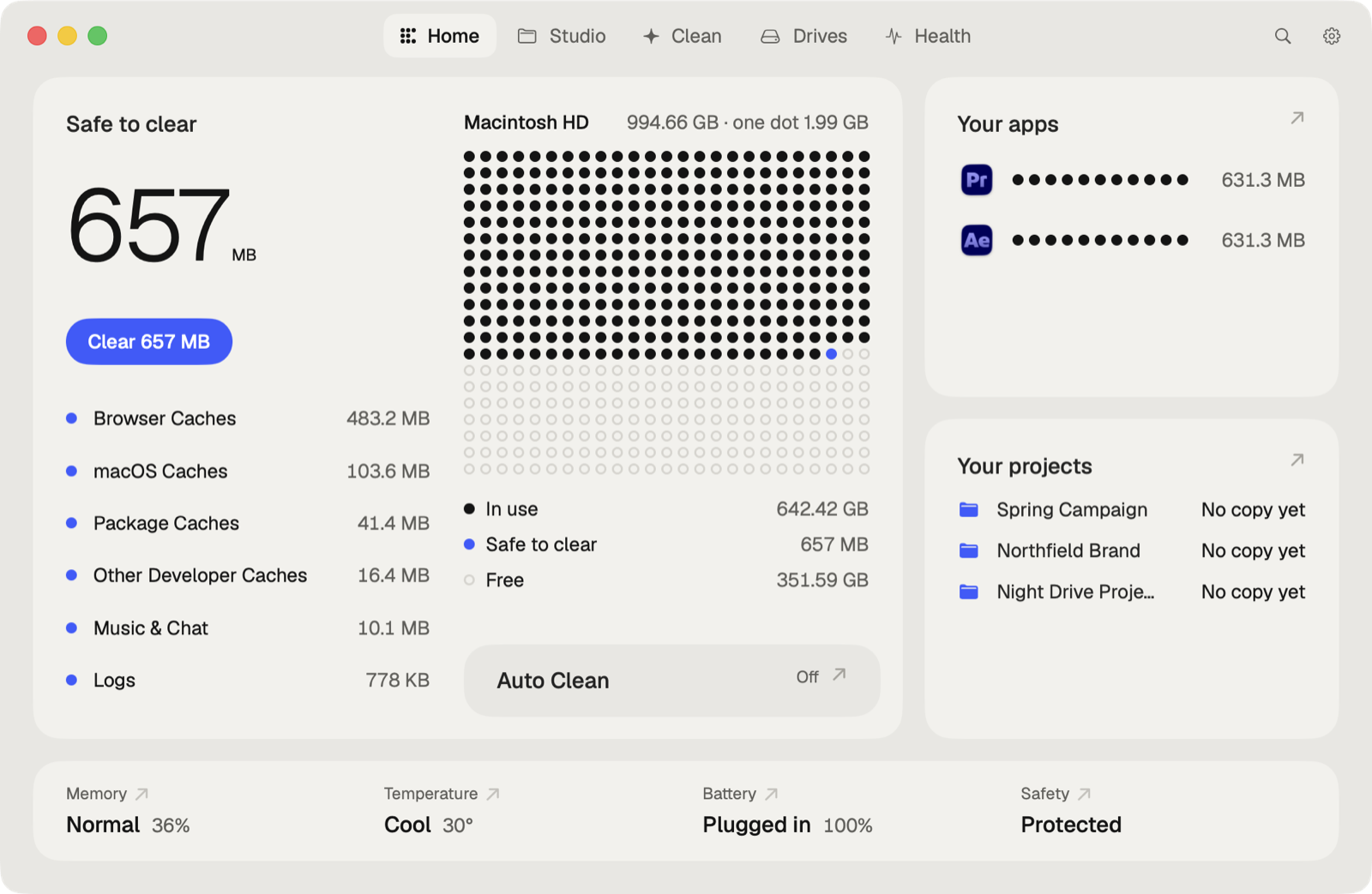
Safe to clear
What one click clears, kind by kind, beside the disk in dots.
BoostPro
From the apps open now: keeps the Mac awake, pauses sync and Spotlight, holds back other apps. Any app.
Export watchPro
A notification when a render or export is done.
Your projects
Each with its last copy on another drive, so none is one disk away from lost.
Menu bar
Processor, memory and network; the apps using the most; projects to add.
Widget
The disk in dots, and what's safe to clear. Clean from it with Pro.
Finder
Right-click a folder: clear its caches, see what's taking its space.
Studio
Every project kept healthy.
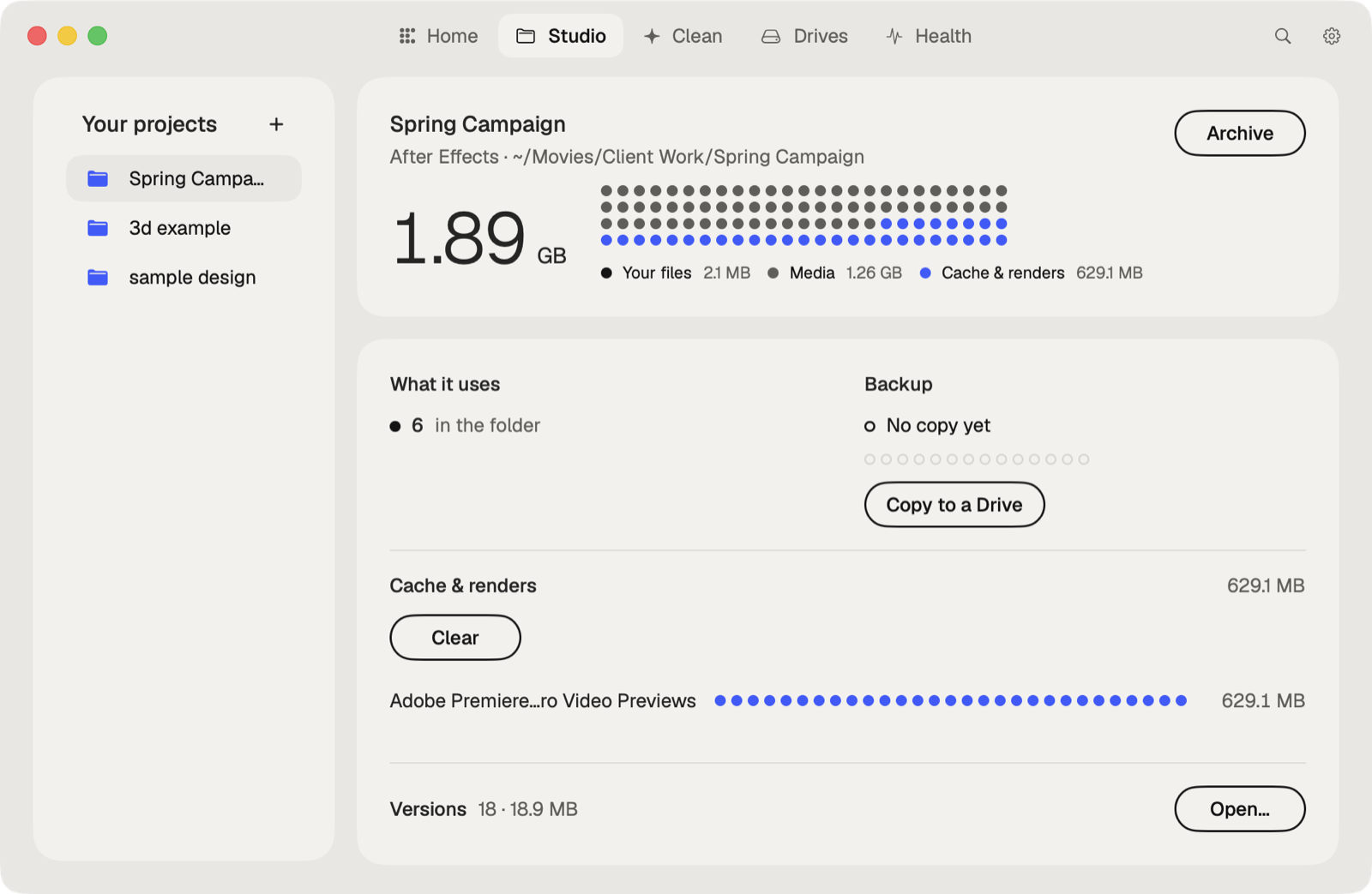
Project contents
Your files, media, and the caches and renders the app makes again.
Missing
Media outside the folder, missing fonts and plug-ins.
Cache & rendersPro
What the app makes again, cleared project by project.
BackupPro
The last copy on another drive, and a copy made and verified.
Collect FilesPro
Everything outside the folder, copied in.
ArchivePro
To a drive, every file verified, then the folder to the Trash.
Clean
Space back, without touching your work.
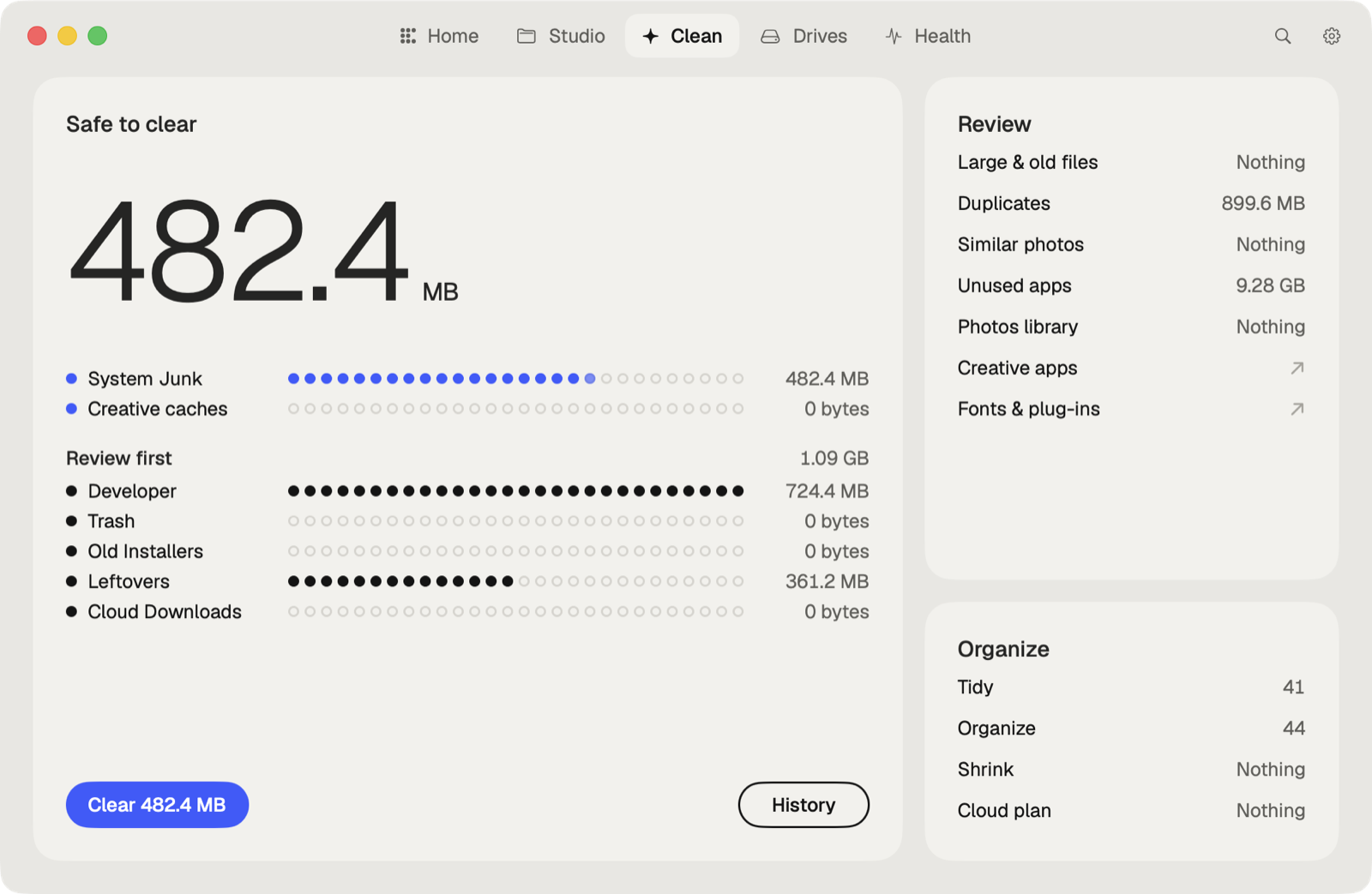
Junk
Caches, logs and leftovers apps don't clean up. Caches are deleted for good: apps make them again.
Creative CleanupPro
Old Adobe versions, sound libraries, unpacked downloads, caches in backups.
Fonts and plug-ins
Duplicate and broken fonts and audio plug-ins.
Large files
The biggest files, and the ones not opened in a while. Move to another drive with Pro.
Duplicates
Identical files in more than one place.
Similar photos
Near-identical shots, to keep the best.
Uninstaller
Apps removed with everything they left.
Cloud copies
Downloaded copies of cloud files kept on this Mac.
Developer
Xcode, simulators, Homebrew, Docker and package caches. Clean All with Pro.
Cleaning History
Everything moved to the Trash, for 90 days, with Restore.
Photo LibraryPro
Duplicates, similar shots, screenshots and blurry photos in Photos.
LeftoversPro
What removed apps left in the Library.
Old InstallersPro
Installers in Downloads for apps you already have.
ShrinkPro
Smaller photos, videos and folders. Nothing deleted.
Cloud SaverPro
What to remove from your clouds to pay for less storage.
TidyPro
Any folder by topic, kind or month, subfolders too, with Apple Intelligence. With Undo.
OrganizePro
By file type, in one click. With Undo.
Auto CleanPro
Junk, old downloads and old Trash on a schedule. Its switch is on Home.
Drives
Disks, speed and camera cards.
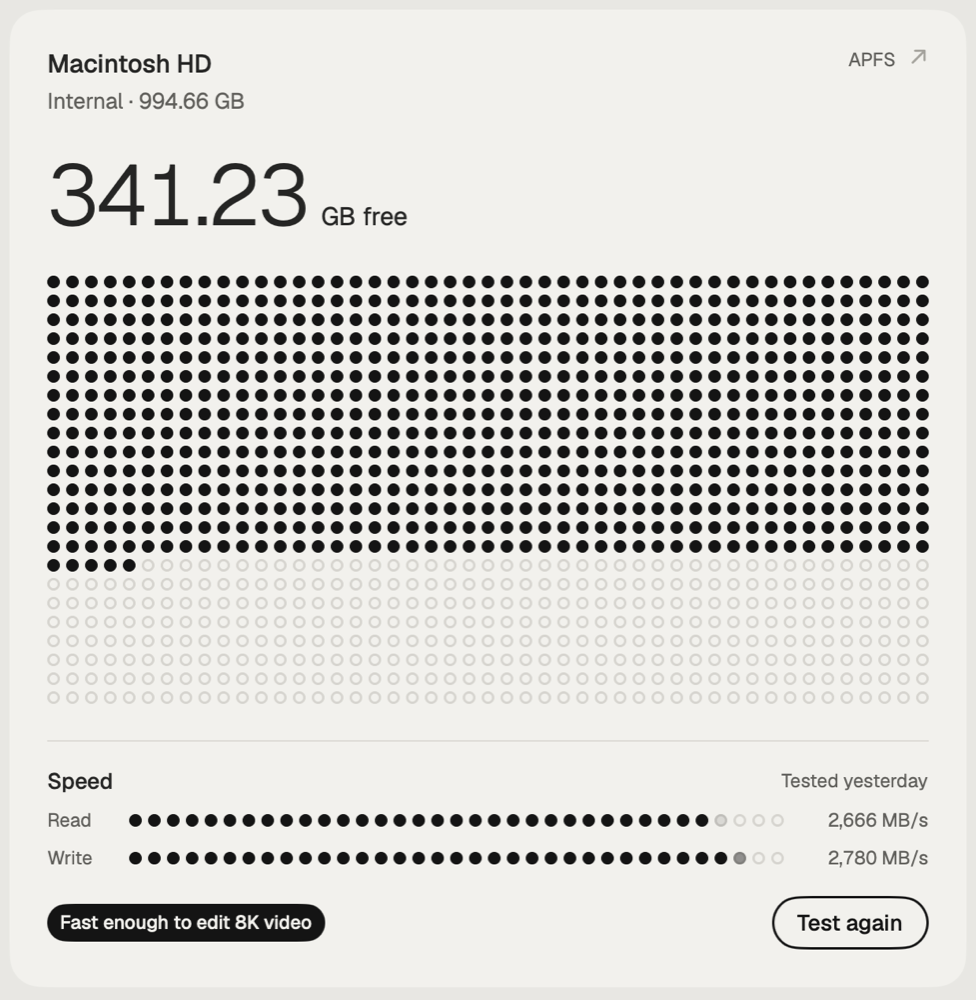
Disk Map
Where the space on each disk goes.
Drive speed
Read and write, and what that's fast enough for: 4K or 8K video, photos, music.
Card offloadPro
Every card plugged in, to as many drives and cloud folders as you like at once, each copy verified.
Copy to drivePro
A project copied to a drive and verified.
What GrewPro
Folders that grew since yesterday, last week or last month.
Health
How the Mac is doing.
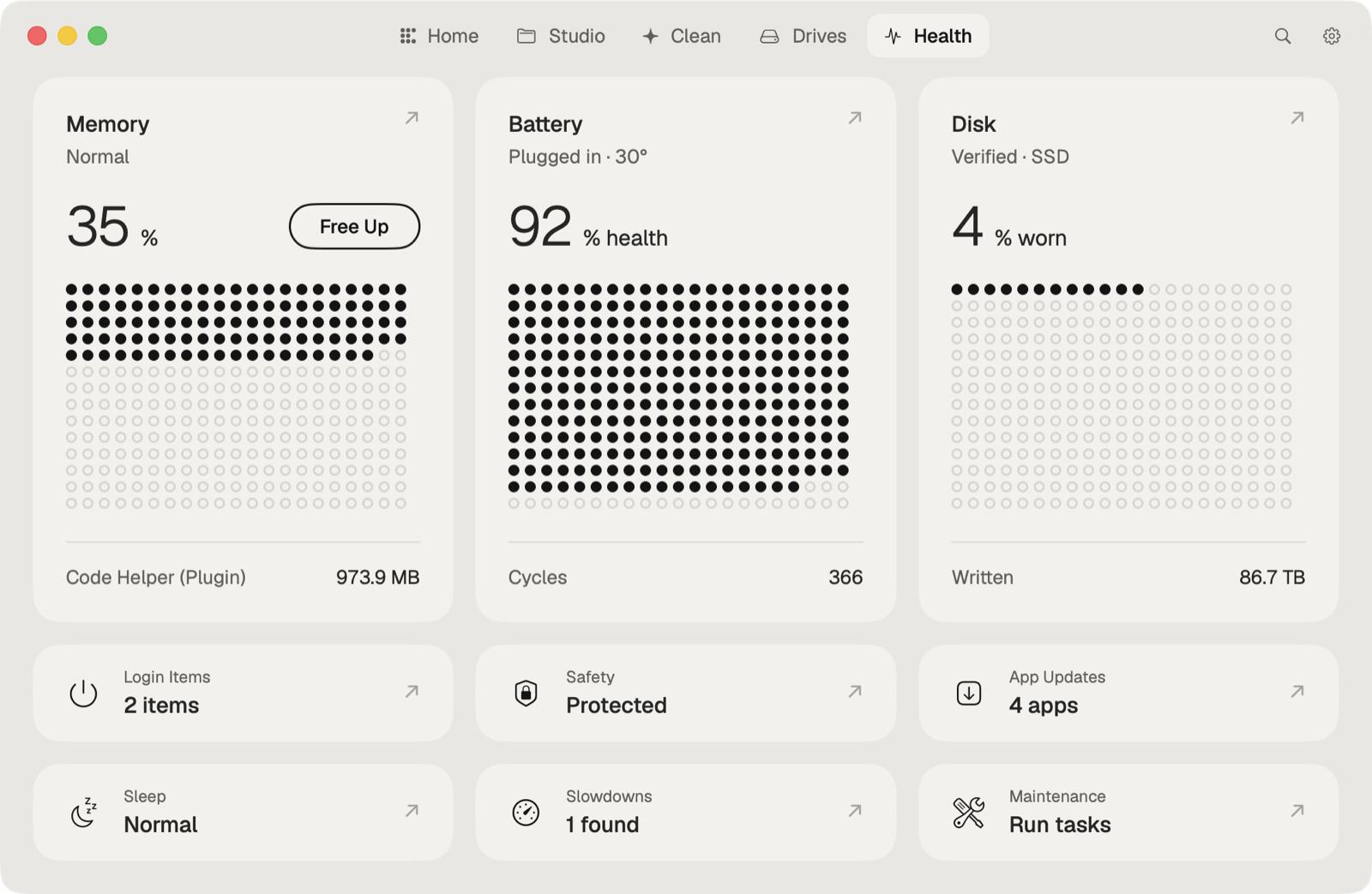
Health
Battery, disk, memory and temperature. Battery history and alerts with Pro.
Free Up Memory
One click hands back the memory macOS keeps for files it read lately.
Background items
What starts with the Mac and runs in the background.
Maintenance
Flush DNS, reindex Spotlight, free snapshots.
Security
Protections, adware, extensions and profiles. Remove adware with Pro.
App Updates
Apps with a newer version. Update All in one click with Pro.
PerformancePro
Why the Mac is slow now, and the fix for each cause.
Sleep & BatteryPro
What woke the Mac overnight, and where the battery went.

Try it.
Free to download. Pro free for 7 days, from inside the app.