Premiere Pro: Project Manager
- Save the project and choose File > Project Manager.
- Select the sequences to archive. Only media used in the selected sequences is gathered.
- Under Resulting Project, choose Collect Files and Copy to New Location to copy media as it is, or Consolidate and Transcode to convert it to one codec, with handles.
- Choose whether to Exclude Unused Clips. Leave it off to keep every clip in the project, not only the ones in the edit.
- Set the Destination Path to the archive drive, click Calculate to see the size, then click OK.
Leaving out preview and audio conform files saves space. Premiere Pro makes them again when the project opens.
Final Cut Pro and DaVinci Resolve
Final Cut Pro: select the library, open File > Library Properties, and in the Media section click Consolidate to copy outside media into the library. Then choose File > Delete Generated Library Files to remove render, optimized and proxy files, and copy the library to the drive with Final Cut Pro closed.
DaVinci Resolve: in the Project Manager, right-click the project and choose Export Project Archive. Tick Media Files. Proxy media and render cache are optional and can be rebuilt. Resolve writes a .dra folder. To open it later, right-click in the Project Manager and choose Restore Project Archive.
Check the archive opens
- Disconnect the drive with the original media, or rename its folder.
- Open the archived project from the archive drive.
- Check that nothing is offline or asks to be relinked, and play a few clips from start to end.
Clips that were offline when you archived stay offline. Fix them before you archive.
Keep two copies
One drive is one failure away from losing the project. Copy the archive to a second drive, ideally kept in another place, before you delete anything from your working drive. Fonts and third-party plug-ins aren't part of any of these archives, so note which ones the project uses.
The faster way: Caretaker

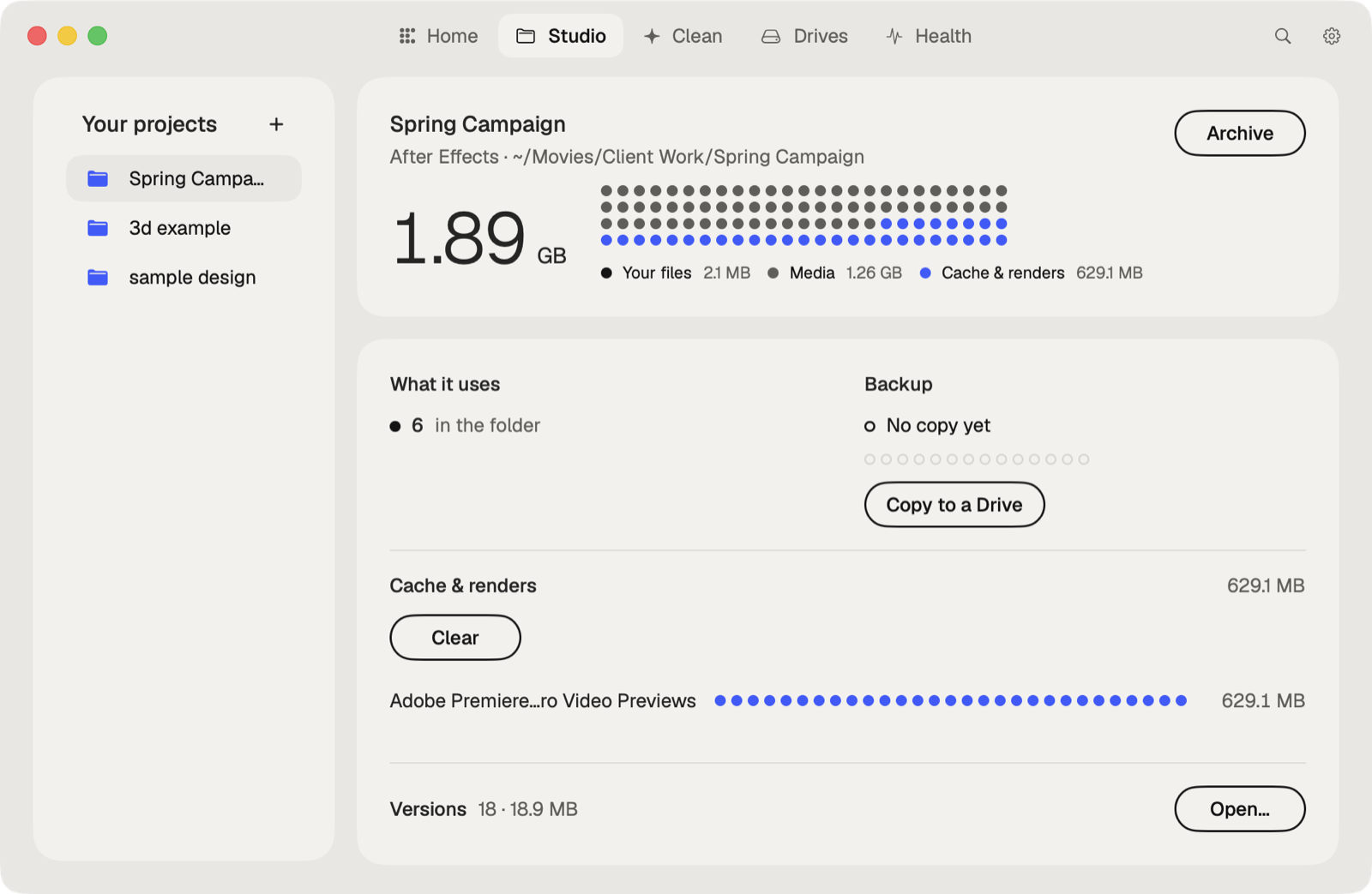
Caretaker's Archive, with Pro, copies a project folder to a drive, verifies every file, then moves the original folder to the Trash. Copy to drive copies and verifies without removing anything, and Collect Files gathers media from outside the folder first.
Questions
Should I delete render files before archiving?
Yes. Render, preview and cache files are rebuilt from the media, and they can make an archive many times bigger.
Does Export Project Archive include unused clips?
It archives the media in the project, not only what's on the timelines. Clips that are offline can't be copied.