Open a backup
- In Live's browser, open the Current Project, or open the Project folder in the Finder.
- Open the Backup folder. It appears after you save the Set a second time.
- Find the version by the timestamp in brackets and open it.
- Save it with File > Save Live Set As under a new name, so you don't mix it up with the backups.
Once there are more than ten, the oldest goes to the Trash. Check the Trash if you need one just past the limit.
After a crash
When Live starts after a crash it offers to restore your Set. Say yes. If you said no, the files it needs are moved to a Crash folder:
- Quit Live.
- In the Finder, choose Go > Go to Folder and enter
~/Library/Preferences/Ableton, then open Live x.x.x/Crash for the version that crashed. - Follow Ableton's guide to move the dated files back into the version folder, then start the same version of Live.
Live deletes items in the Crash folder older than one week when it starts.
Older than the last ten
Restore the .als from Time Machine: open the Project folder, open Time Machine, go back to before the change, select the Set and click Restore. If macOS asks, choose Keep Both.
What not to delete
Keep the Backup folder while you work. It holds only .als files, which are small. Your samples and recordings are in the Project's other folders, and none of the backups replace them.
The faster way: Caretaker

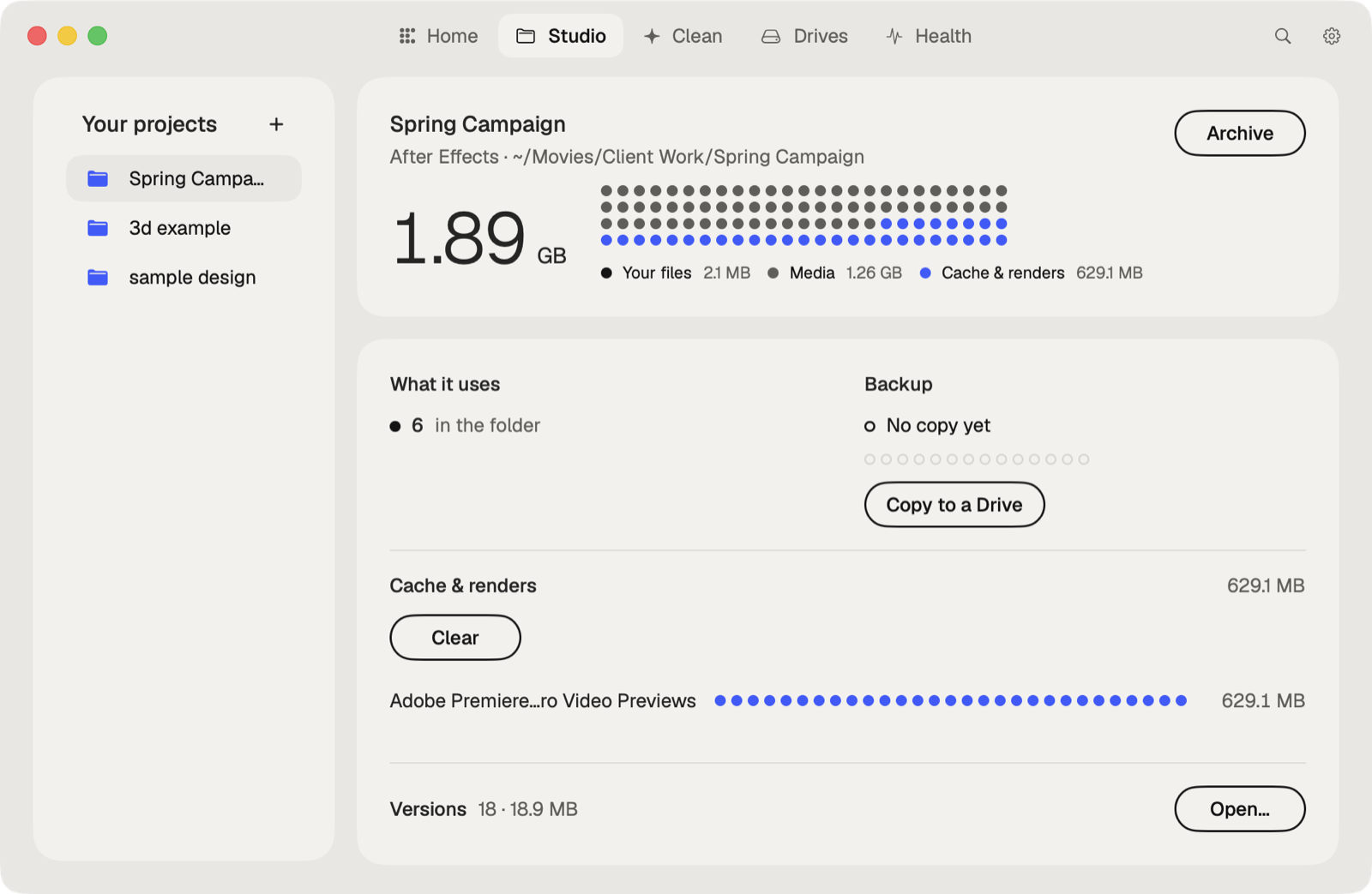
Caretaker's Studio shows when each project was last copied to another drive and makes a verified copy in one click, so an overwritten or lost Set has a second home. It also lists the plug-ins a Set uses and which aren't on this Mac.
Questions
Does Ableton Live autosave?
No. It saves a backup each time you save, keeping the last ten in the Project's Backup folder, and can restore a Set after a crash.
Where are Ableton backups on a Mac?
In a folder named Backup inside the Project folder, next to the Set.
More guides
- How to recover a previous version of a Photoshop file on a Mac
- How to recover a Premiere Pro project from Auto Save
- How to recover an After Effects project from Auto-Save
- How to recover an Illustrator file on a Mac
- How to recover an InDesign file on a Mac
- How to recover a Blender file from Auto Save
- How to restore a DaVinci Resolve project backup
- All guides