Open an auto-save copy
- In the Finder, open the folder your project is in, then Adobe After Effects Auto-Save.
- Each copy has your project's name with a number added. Check the date modified to find the one you want.
- Open it, then choose File > Save As and give it a new name.
Use Save As, not Save. Adobe notes that saving an auto-save copy writes your changes into the original project and replaces it.
Change the Auto-Save settings
Open After Effects > Settings > Auto-Save:
- Save Every: 20 minutes by default. A shorter interval loses less work.
- Save When Starting Render Queue: on by default.
- Maximum Project Versions: 5 by default. Older copies are deleted.
- Auto-Save Location: Next to Project, or a Custom Location.
These settings apply to local projects, not Team Projects.
Increment and Save
File > Increment and Save (⌘⌥⇧S) saves a numbered copy in the same folder. If the name already ends in a number, it goes up by one. Use it before big changes, so the version before stays on disk and isn't rotated out like auto-saves are.
Older than the last 5
If the version you need is older, restore the .aep from Time Machine: open the project folder, open Time Machine, go back to before the change, select the file and click Restore. If macOS asks, choose Keep Both.
The faster way: Caretaker

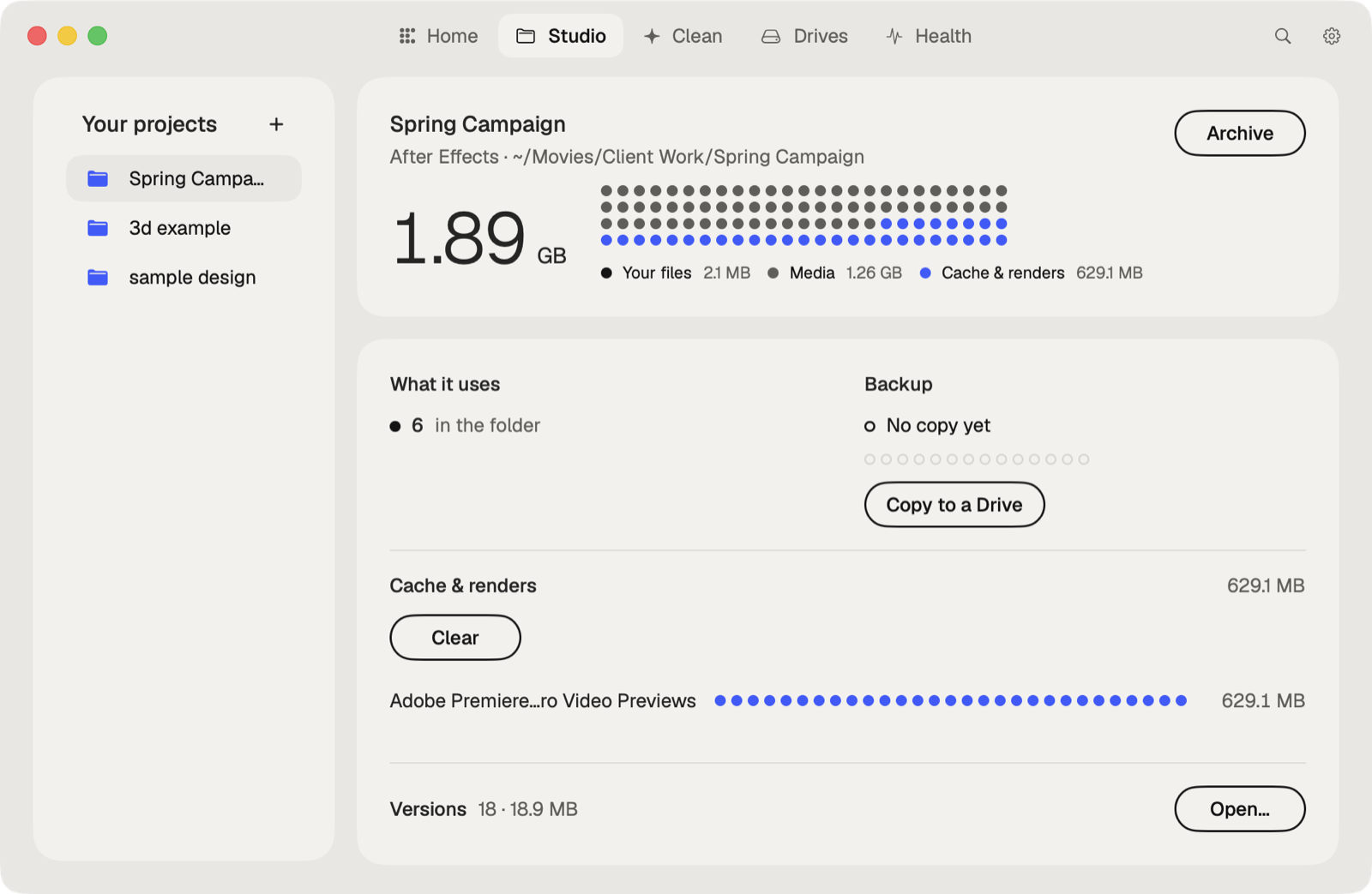
Caretaker's Studio shows when each project was last copied to another drive and makes a verified copy in one click, so an overwritten or lost project has a second home. It also clears the After Effects disk cache and the media cache it shares with Premiere Pro.
Questions
Where does After Effects save auto-saves on a Mac?
In a folder named Adobe After Effects Auto-Save, next to your project, unless you choose a custom location.
Why is there no auto-save of my project?
Auto-Save starts after you save the project for the first time. An untitled project isn't auto-saved.
More guides
- How to recover a previous version of a Photoshop file on a Mac
- How to recover a Premiere Pro project from Auto Save
- How to recover an Illustrator file on a Mac
- How to recover an InDesign file on a Mac
- How to recover an Ableton Live Set from a backup
- How to recover a Blender file from Auto Save
- How to restore a DaVinci Resolve project backup
- All guides