Right after a crash
- If Illustrator is frozen, force quit it from Activity Monitor.
- Open Illustrator again. It opens the unsaved files with Recovered in the file name.
- Save each one with File > Save As.
Where the recovery files are
- In the Finder, choose Go > Go to Folder and enter
~/Library/Preferences. - Open Adobe Illustrator <version> Settings, then your language folder (for example en_US), then DataRecovery.
- Copy the .ai or .aid file you need to your Desktop and open the copy in Illustrator.
If you chose another folder for backups, look there. Adobe notes these steps don't apply to Illustrator 29.2 to 29.8, which use .aishm recovery files.

Cloud documents have Version History
For an Illustrator cloud document (.aic), choose File > Version History. Click the Mark version icon to keep a version, and use the menu next to it to revert. Versions you don't mark are deleted after a while.
For a local .ai you saved over, restore it from Time Machine: open its folder, open Time Machine, go back, select the file and click Restore.
Set auto-backup up
- Open Illustrator > Settings > File Handling.
- Check Automatically Save Recovery Data Every and pick an interval. Adobe notes a short one can interrupt you on big files, a long one risks more work.
- In Illustrator 30, it's off by default because Save in Background handles both quick save and auto-backup.
- Click Choose to pick a folder you can read and write, not a network drive.
The faster way: Caretaker

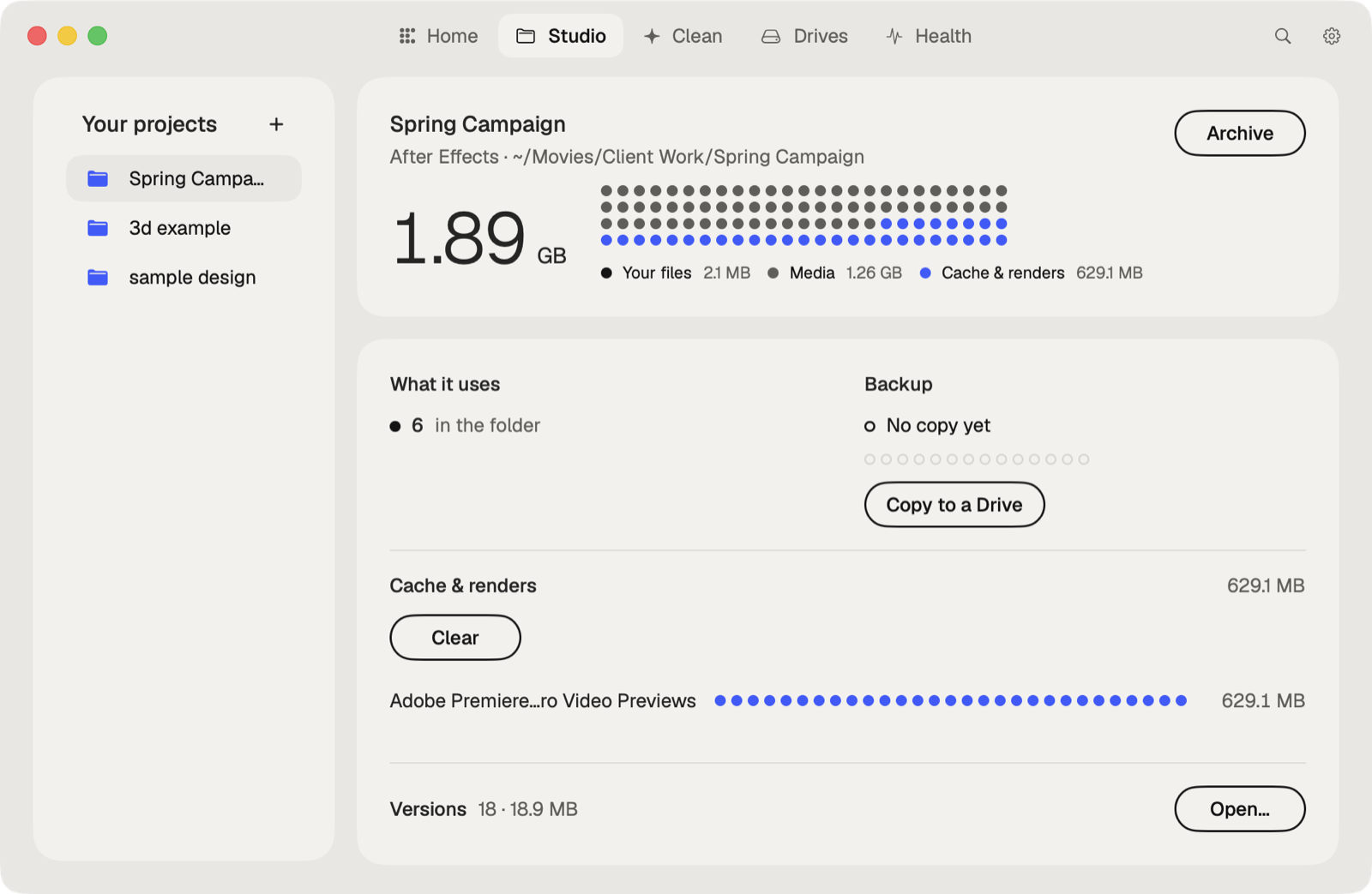
Caretaker's Studio shows when each project was last copied to another drive and makes a verified copy in one click, so an overwritten or lost file has a second home. It also lists the fonts an .ai file names that aren't on this Mac.
Questions
Does Illustrator autosave on a Mac?
It saves recovery data at the interval you set in Settings > File Handling, and uses it to reopen files after a crash. It doesn't overwrite your file.
Can I recover an Illustrator file I didn't save?
Only after a crash, from the Recovered files or the DataRecovery folder. If you closed it and chose not to save, there's nothing to recover.
More guides
- How to recover a previous version of a Photoshop file on a Mac
- How to recover a Premiere Pro project from Auto Save
- How to recover an After Effects project from Auto-Save
- How to recover an InDesign file on a Mac
- How to recover an Ableton Live Set from a backup
- How to recover a Blender file from Auto Save
- How to restore a DaVinci Resolve project backup
- All guides