Right after a crash
- Don't open the file from the Finder first. Relaunch Photoshop.
- Photoshop restores the documents it has recovery information for.
- Save each one with File > Save As under a new name, then compare it with the file on disk.
If you closed a document without saving, there is no recovery data to go back to. Recovery information is for crashes.
Cloud documents have Version History
If the file is a Photoshop cloud document (.psdc), open it and choose File > Version History. Click the … next to a version and choose Open in a new tab to look at it, or Revert to make it current. Reverting keeps the later versions in the history.
Versions you don't mark can be removed as they age. Mark the ones you want to keep. This needs Photoshop 2023 (24.0) or later.
A local PSD you saved over
A .psd or .psb on your disk has one version: the last save. If Time Machine was on:
- Open the folder with the file in the Finder.
- Open Time Machine from Spotlight and use the timeline to go back to before the change.
- Select the file and click Restore. If macOS asks, choose Keep Both so your current file stays.
Time Machine keeps hourly backups for the past 24 hours, daily for the past month and weekly before that. Anything saved and overwritten between two backups is gone.
Set it up so it doesn't happen again
- In Photoshop > Settings > File Handling, check Automatically Save Recovery Information Every and set it to 5 Minutes. Adobe suggests 5 or 10.
- Before a big change, use File > Save As with a new number in the name.
- Keep Time Machine on, with the backup drive connected while you work.
The faster way: Caretaker

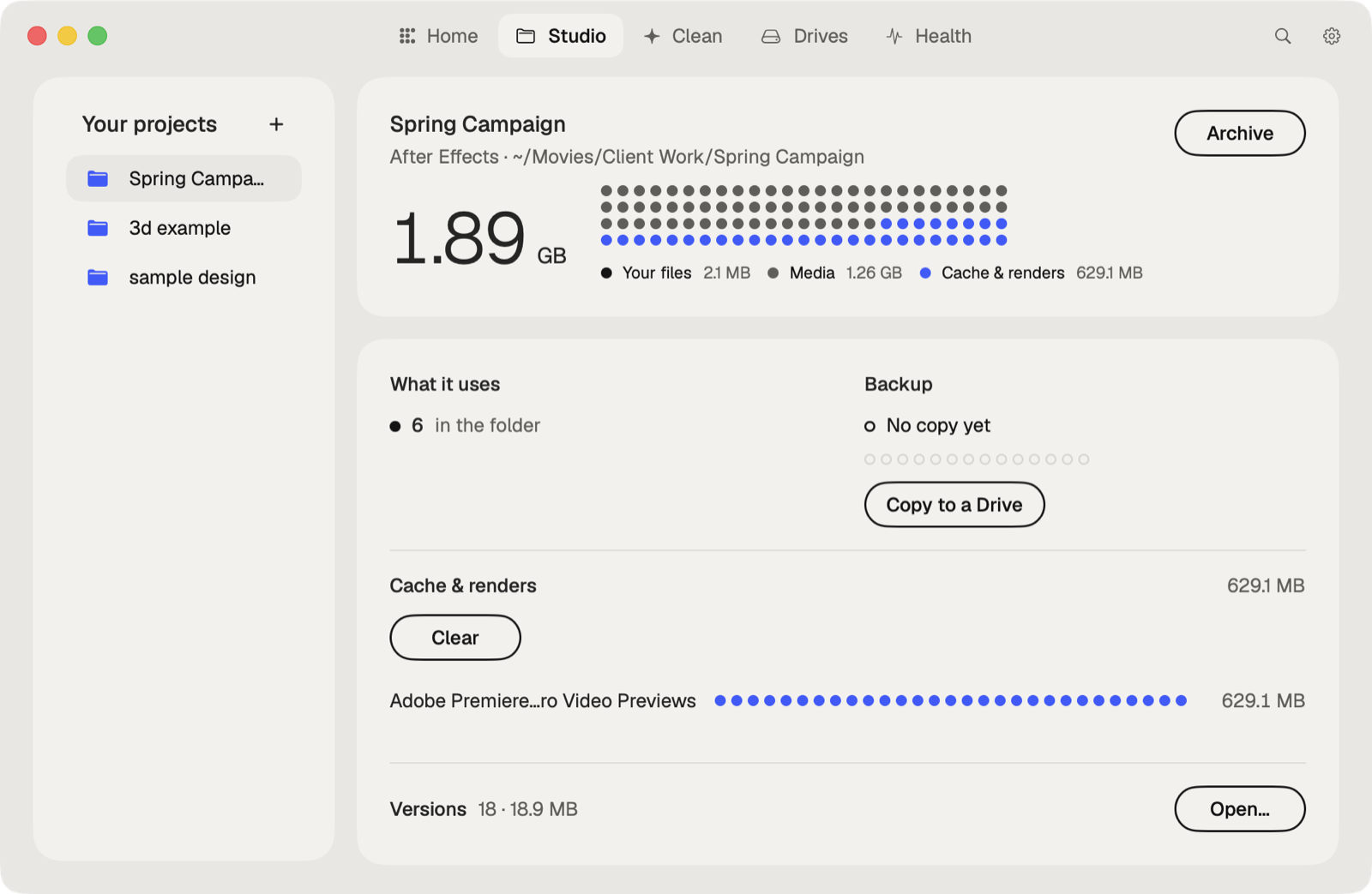
Caretaker's Studio shows when each project was last copied to another drive and makes a verified copy in one click, so an overwritten or lost file has a second home. It also finds the fonts a .psd names that aren't on this Mac, and clears Photoshop's caches.
Questions
Does Photoshop autosave on a Mac?
Not your file. It saves recovery information every 10 minutes by default, which it uses to restore documents after a crash.
Can I undo a save in Photoshop?
Not after you close the document. Restore the file from Time Machine, or use Version History if it's a cloud document.
More guides
- How to recover a Premiere Pro project from Auto Save
- How to recover an After Effects project from Auto-Save
- How to recover an Illustrator file on a Mac
- How to recover an InDesign file on a Mac
- How to recover an Ableton Live Set from a backup
- How to recover a Blender file from Auto Save
- How to restore a DaVinci Resolve project backup
- All guides